TikTok is full of things worth keeping in writing: a recipe, a study tip, a product review, a creator explaining how they grew their account. TikTok doesn't let you copy what someone says in a video, though. If you make content, you may want the words of a video that took off so you can study how it opens. If you work in marketing, you may want to compare what the top videos in a trend actually say. Or you just want to quote a creator without pausing the video and typing every line.
We built the free TikTok transcript generator for that. You paste a video link and get every spoken line as text, which you can copy into your notes, turn into subtitles, or reuse however you like.
To get the transcript of a TikTok video, copy the video's link in TikTok, paste it into the transcript generator and press Get Transcript. The text shows up in seconds. Copy it, or download it as a TXT, SRT or VTT file. You can do this as often as you like, with no credits, no app and no account.
The video below walks through it in under a minute.
How to get the transcript of a TikTok video in 3 steps
Step 1: Copy link
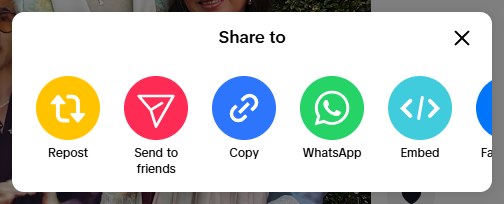
Open the video in TikTok and tap the Share arrow on the right side of the screen.
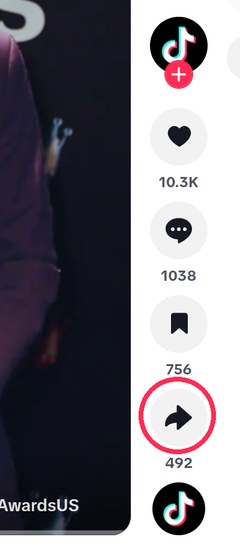
Then tap Copy link. On tiktok.com the button just says Copy.
Step 2: Paste link
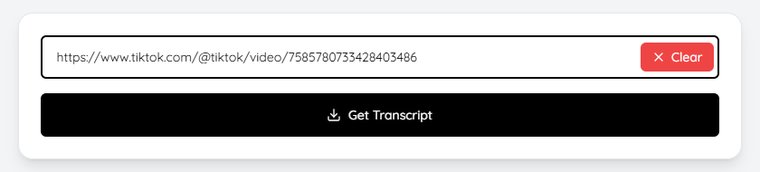
Paste the link into the box on the TikTok transcript generator and press Get Transcript. Short vm.tiktok.com links work too.
Step 3: Pick a format and download
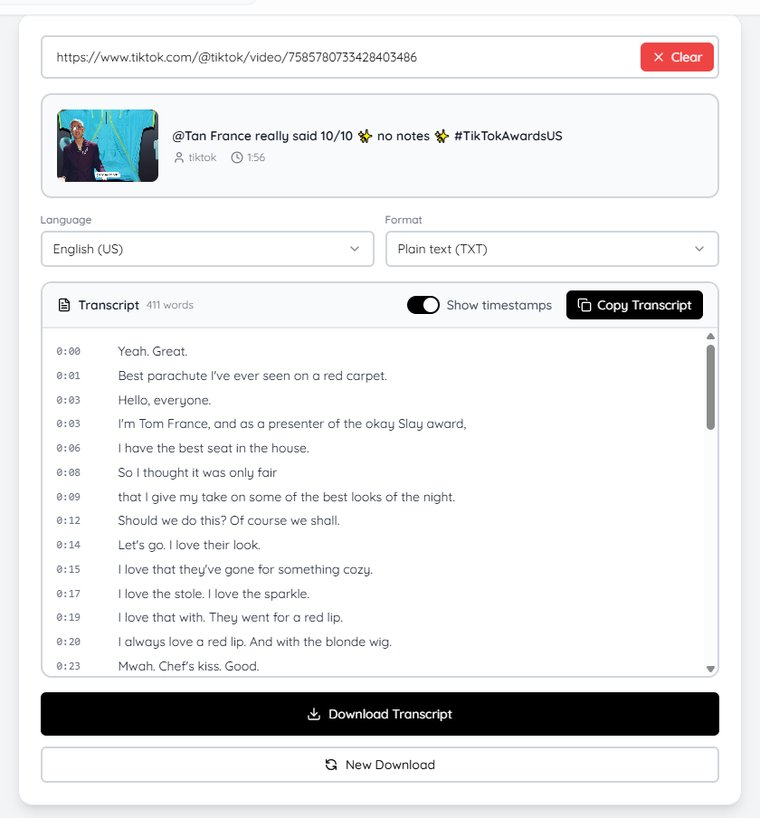
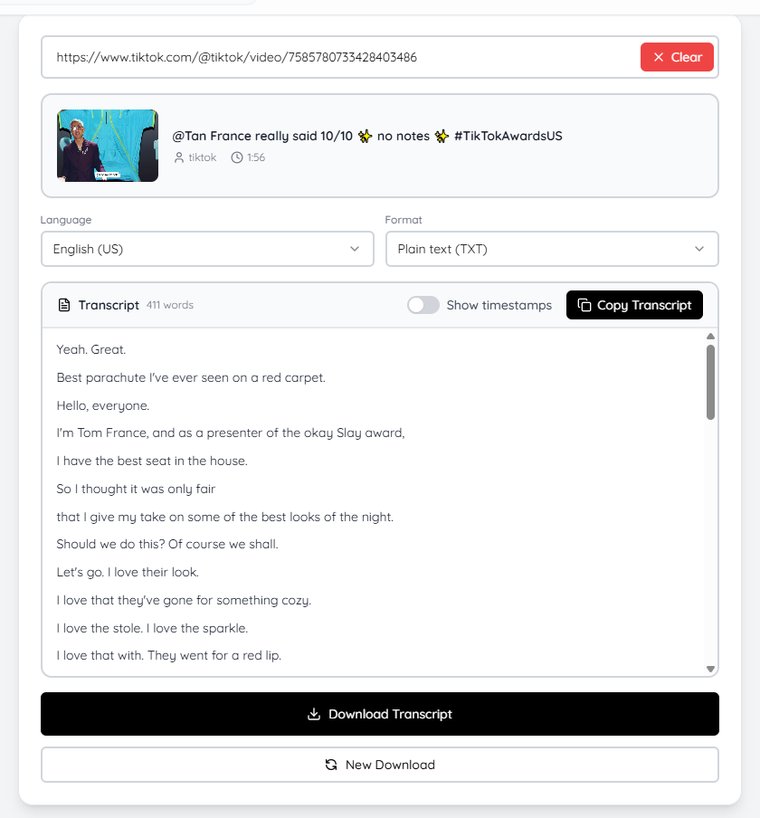
The transcript appears under the video. Press Copy Transcript to grab the text, or pick TXT, SRT or VTT and press Download Transcript.
Does TikTok have a transcript feature?
TikTok shows captions over a video while it plays, but you can't open the full transcript, copy it or save it. You read the captions one line at a time as the video runs. The transcript generator puts every line on one page instead.
Getting a TikTok transcript on iPhone, Android and computer
It works the same on any device, because everything happens in your browser. On an iPhone or iPad, copy the link in the TikTok app, open SaveTools in Safari and paste it there. A TXT file you download goes to the Files app. On Android, do the same in Chrome, and downloads land in your Downloads folder. On a Windows, Mac or Linux computer, copy the video's address from tiktok.com and paste it into the tool.
TikTok transcripts with timestamps
Each line shows its timestamp by default, so you can see when it's said. That helps when you're looking for a quote, cutting a clip, or checking what someone said at a certain point. Turn off Show timestamps when you want clean text to paste into notes or a document.
TXT, SRT or VTT: which format should you pick?
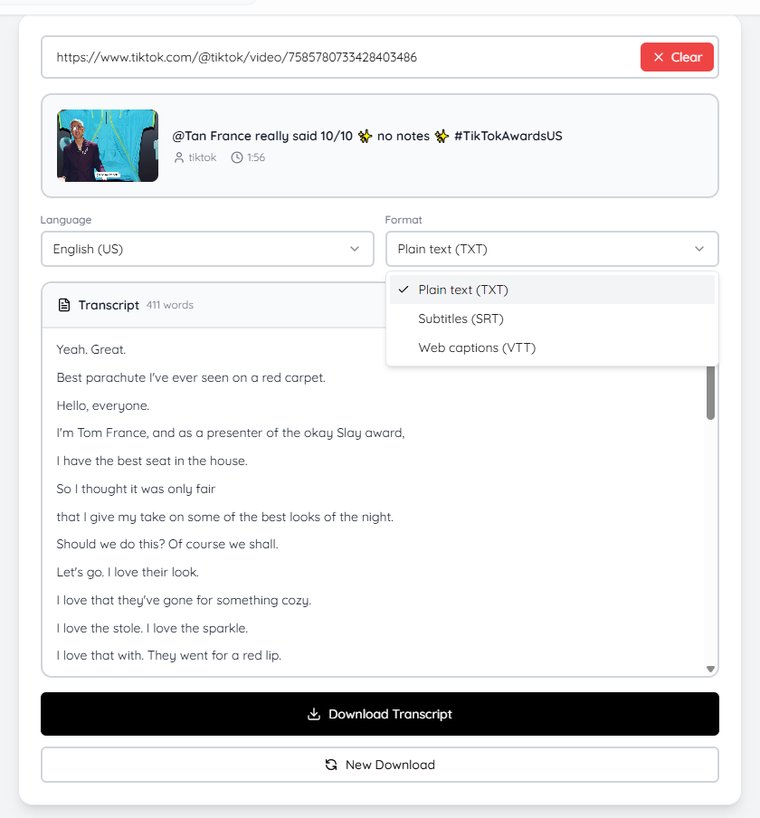
Plain text (TXT) is just the words, with or without timestamps. Pick it for reading, notes, blog posts, or pasting into an AI chatbot.
Subtitles (SRT) keeps the start and end time of every line. Video editors like CapCut, Premiere Pro and DaVinci Resolve open it, and so does YouTube.
Web captions (VTT) is the caption format that web video players use.
What you can do with a TikTok transcript
- Save recipes, study tips and tutorials as text you can search later.
- Paste it into ChatGPT, Claude or Gemini and ask for a summary or the main points.
- Turn your own TikTok into a blog post, a caption, a newsletter or a thread.
- Run it through a translator to follow a video in your own language.
- Load the SRT file into your editor when you post the video somewhere else.
- Quote a creator word for word instead of typing it out by ear.
Why use SaveTools for TikTok transcripts?
It's free and unlimited. There are no credits to buy or run out of, no daily limit, and you don't need an account or a TikTok login. The full transcript is ready in seconds after you press Get Transcript, with timestamps on by default and downloads in TXT, SRT and VTT. It works on iPhone, iPad, Android, Windows and Mac, and it's safe to use: there's no app to install and nothing to give access to.
Why a TikTok video might have no transcript
The transcript comes from the video's captions, so a video without captions has nothing to copy. That happens when the creator turned captions off for that video, when nobody speaks and it's only music or sounds, or when the video is private or friends only. If one video comes up empty, try another from the same creator. Most talking videos have captions.
Frequently asked questions
How do I see the transcript on TikTok?
TikTok only shows captions while the video plays. To see the whole transcript at once, paste the video link into the TikTok transcript generator.
Is the TikTok transcript generator free?
Yes. It's free and unlimited, and you don't need credits, an account or an app.
Is there a limit on how many TikTok transcripts I can get?
No. There's no daily limit and nothing to buy.
Can I get a TikTok transcript with timestamps?
Yes. Timestamps show next to every line by default, and SRT and VTT files keep the timing.
Can I turn a TikTok video into text on my phone?
Yes. Copy the link in the TikTok app, paste it into SaveTools in your phone's browser, and copy or download the text.
Can I get the transcript in another language?
When a video has captions in more than one language, pick the one you want from the Language menu before you copy or download.
Can I download TikTok subtitles as an SRT file?
Yes. Choose Subtitles (SRT) in the Format menu and press Download Transcript. If you only need subtitle files, the TikTok subtitle downloader does that too.
Can I get the transcript of a private TikTok?
No. Only public videos work.